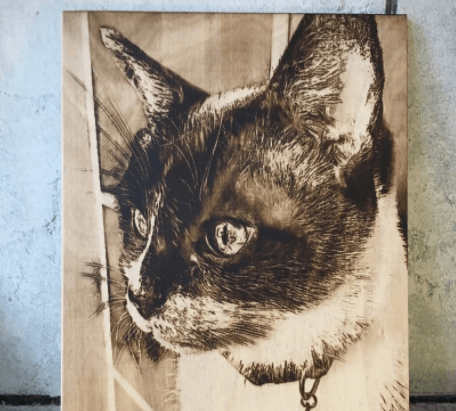
Laser engraving is a fascinating technique that allows you to etch intricate designs onto various materials. Whether you are a hobbyist or a professional, mastering image engraving and preparing the right laser engraving pics is essential to achieving precise and high-quality results. In this guide, we will cover how to prepare images for engraving, recommend the best software, share free image resources, explain the ideal photo formats, and give you five key steps for perfect photo laser engraving.
The Monport 40W Pro stands out with its Built-in Air Assist, which reduces wood discoloration and ensures sharp, high-clarity output—making it perfect for photo engraving and precision work. With an 8" x 12" work area, fast 350mm/s engraving speed, LightBurn compatibility, and a compact design, it’s an ideal choice for hobbyists and small businesses looking to elevate productivity and engraving quality.

Ⅰ. How to Prepare a Picture for Laser Engraving
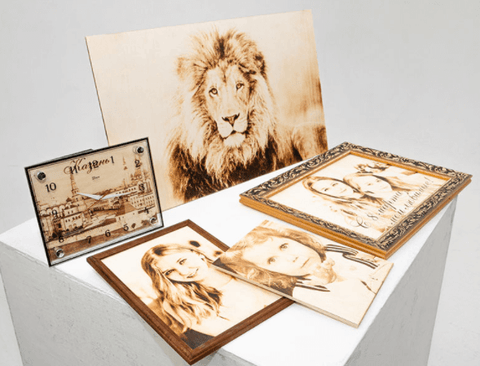
Preparing your images properly will significantly improve your engraving results, especially when working on a high-precision machine like the Monport 40W Pro.
-
Freepik: Offers a vast collection of free vector images suitable for laser engraving.
-
Vecteezy: Provides free and premium vector graphics for engraving projects.
-
Pixabay: High-resolution photos and graphics free for commercial use.
-
Unsplash: Quality photography suitable for engraving after conversion.
-
Pexels: Curated free stock images that work well for image engraving.
These platforms give you access to images you can use immediately or customize for your projects.

Optimal Photo Formats for Laser Engraving
To achieve smooth and accurate image engraving, use compatible formats. Common formats include:
-
JPEG
-
BMP
-
PNG
-
TIFF
Always check your laser engraver’s specifications, and ensure images are high-resolution to preserve details in the engraved output.
Five Steps to Perfect Photo Laser Engraving
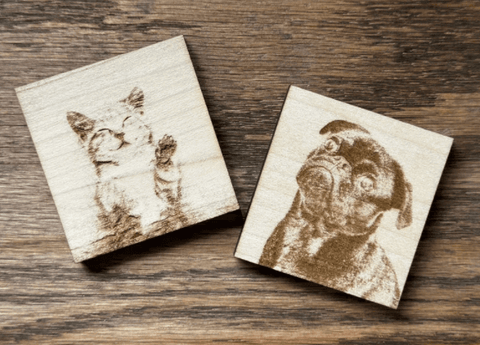
Follow these steps to create flawless laser engraving pics:
-
Select high-resolution images: Ensure the image has strong contrast and clear details.
-
Convert to compatible formats: Use software like LaserGRBL or LightBurn for JPEG, BMP, PNG, or TIFF.
-
Clean and adjust the image: Enhance brightness, contrast, and clarity; remove unnecessary elements.
-
Optimize engraving settings: Adjust depth, speed, and power according to the material. Test on a sample before final engraving.
-
Secure material and monitor: Fix the material to prevent movement and supervise the engraving for consistent results.

FAQs About Image Engraving
Q1: What types of images work best for laser engraving?
High-resolution images with clear details, strong contrast, and minimal background noise produce the best laser engraving pics.
Q2: Can I use color photos for image engraving?
Yes, but they must be converted to grayscale using engraving software to ensure proper depth and shading.
Q3: What software is best for beginners?
LaserGRBL is great for beginners, while LightBurn (fully compatible with Monport 40W Pro) offers advanced controls.
Q4: Where can I find free images for laser engraving?
Platforms like Freepik, Pixabay, Vecteezy, Unsplash, and Pexels offer high-quality free images suitable for image engraving.
Q5: Which file formats are preferred?
JPEG, BMP, PNG, and TIFF are commonly supported formats for precise laser engraving pics.
Conclusion
Creating beautiful image engraving and laser engraving pics requires the right preparation, software, and images. By selecting high-quality images, converting them correctly, using recommended software, and following proper engraving steps, you can achieve stunning results. Explore free image resources, refine your skills, and start producing detailed and captivating laser-engraved designs today.
And with the Monport 40W Pro Lightburn-Supported CO2 Laser Engraver & Cutter, you gain a reliable, precise, and small-business-ready machine that enhances your results with every project. Its Built-in Air Assist, fast 350mm/s speed, and high-accuracy output make it the perfect tool for producing crisp, detailed, and professional engraving results every time.